We've moved! Please subscribe to the Google Ad Manager blog for updates


Posted:
(Originally posted on the Google Mobile Ads Blog)

On a crisp fall day, a young person uses his smartphone to find a store that sells scarves. He searches, finds your site, and clicks-thru, prepared to browse your inventory of scarves, or find your store nearby and buy one. But, after he clicks to your site he runs into trouble - it doesn't load fully, and he spends more time zooming-in and squinting than he does looking at scarves! Frustrated, he gives up and looks for another scarf store. You lose a potential customer.
This happens hundreds, even thousands of times every day because most businesses’ websites don’t work well on smartphones. The most important thing you can do to grow your business using the mobile web is to create a mobile-friendly website.  So today we’re launching an initiative called
GoMo that helps businesses “Go Mobile”.

What’s a mobile-friendly site?  It’s a website designed specifically for mobile users and mobile devices.  It’s fast to load and easy to use—no pinching and zooming required.  Some great examples are right here.

Every day more and more of your customers are looking for you…on mobile devices.  If you don’t have a site that works for mobile, you’re missing out.  61% of users are unlikely to return to a site that’s not mobile-friendly.1  On the other hand, customers embrace sites that are built for mobile--consumer engagement increases by 85% with a website designed for mobile devices.2

So, are you ready to Go Mo?  Visit howtogomo.com where you’ll find the resources you need to learn about what makes a good mobile site and to start building one.
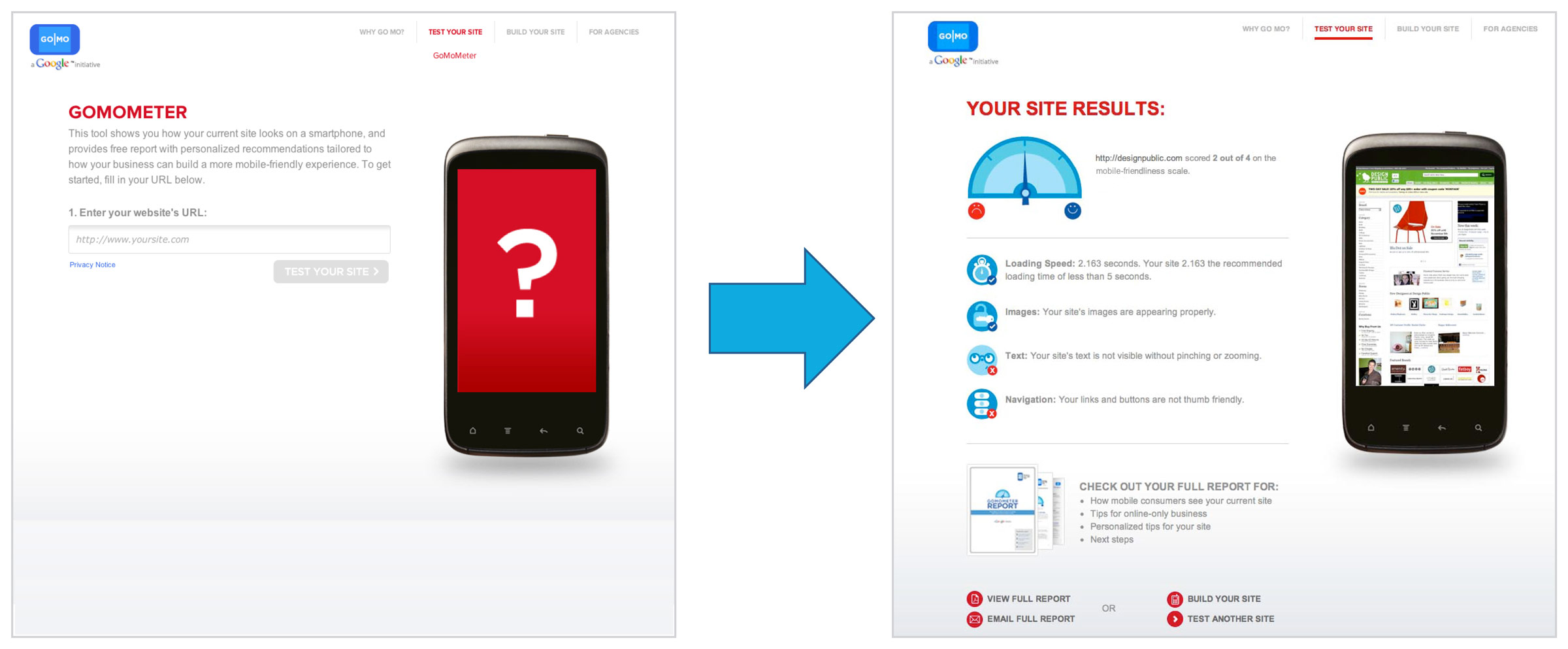
 See how your site performs on mobile phones with the GoMoMeter.
Here’s what you’ll find at howtogomo.com:
  • See what your customers see.  Enter a website address into the GoMoMeter and see what your site looks like on a mobile phone.  The GoMoMeter will analyze your site and give you customized recommendations on how to make your site more mobile friendly.  You can even download a free customized report!
  • Learn about why mobile matters:  Cool infographics and the latest data will help you learn more about mobile trends and why mobile-friendly sites really matter.
  • Get inspired by great examples: Look at the mobile sites of businesses who are doing it right and learn how to make your site better with our ten mobile site best practices.
  • Find a mobile site builder who can help: Check out our list of mobile site developers who can help you build your mobile website.
Check out this video to learn more about howtogomo.com and how it can help your business.

You can register for our webinar “Making Mobile-Friendly Websites: Best Practices in Action,” which will take place on November 10 at 11 am PST/ 2 pm EST.  And check this blog all week; we’ll be featuring lots of great mobile site tips and new case studies.

Mobile is critical to your business, and now GoMo makes it easy for you to make your mobile-friendly site.  So, no more excuses!  Check out howtogomo.com and Go Mobile!
1,2Compuware and Brand Anywhere and Luth Research

Posted:
With the growth of exchange-based buying and real-time bidding, media buyers are becoming increasingly sophisticated at optimizing their bids. In tandem, we’ve heard from our publisher partners that they would like to better manage their minimum CPM, sometimes called the reserve or floor price, which dictates the minimum price at which buyers can purchase their inventory.

But setting the best minimum price can be tricky. Setting it too high can price publishers out of transactions, while setting it too low can sometimes leave money on the table. Many publishers optimize their minimum CPM using a trial and error approach, which can be time consuming and potentially costly.

Today, we’re happy to announce the launch of Minimum CPM Recommendations for DoubleClick Ad Exchange publishers. This feature automatically recommends an optimal minimum cpm for each eligible ad slot in the Ad Exchange auction. It also automatically generates a graph that provides better visibility into how different floor prices might affect a publisher's bottom line.


To deliver these recommendations, we created an algorithm that analyzes all historical transactions for each publisher's ad slots, also taking into account factors like traffic patterns, to better understand and predict supply and demand trends. As always, we are also careful to ensure that individual advertiser bids are not exposed and that the integrity of the Ad Exchange auction is protected. Initial results with early beta testers indicate an average 20% revenue lift for adopted recommendations.

Ad Exchange publishers can take advantage of these insights today directly from the My Ads tab. If you’re not already using Ad Exchange, contact your publisher sales representative to learn more about all of the ways that DoubleClick Ad Exchange can help you profit on your terms.

Posted:
(Originally posted on the Inside AdSense blog)

It’s no secret that I watch a lot of video ads. It’s one of the perks (or pains!) of working in the video advertising business. And yet, I was surprised to see that my younger cousins were gathered around a laptop showing each other their favorite ads over the weekend. Maybe it runs in the family. More likely, people just love watching great content and engaging ads. Every statistic we’ve seen shows that sharing and watching online videos has become a part of everyday life, and that the gap between video ad spend and audience attention is slowly narrowing. At Google, we’re always trying to improve the experience of watching video ads. With that in mind, we’re rolling out a new ad format called TrueView to our network of video publishers.

TrueView ads, pioneered on YouTube, differ from traditional video ads in two main ways. First, they give viewers choice - for example, the ad may be skippable or present a choice of ads to watch. Second, TrueView ads are sold through a Cost Per View (CPV) basis. You may be familiar with Cost Per Click (CPC) where the advertiser pays when someone clicks on their ad; similarly with CPV ads, advertisers are charged when a viewer chooses to watch the ad.

For example, say you're about to watch an interview with the makers of a new movie on The Hollywood Reporter. A TrueView in-stream video ad will start to play and a counter will appear giving you the option, after five seconds, to skip the ad and continue watching the video.


We believe TrueView is a win for users, publishers and advertisers. Users have more control over the ads they see. Advertisers get to combine the engagement of video with the precision of online advertising. And publishers see higher returns, since advertisers value a truly engaged audience.

A small group of our AdSense for video publishers are already using TrueView ads on a portion of their video inventory, and have seen RPMs equal or better than standard pre-roll ads, while dramatically improving the user experience. TrueView video ads also help to decrease audience drop-off rates by 40% on YouTube Partner sites when compared to regular in-stream ads, which means more viewers are continuing to watch videos.

One of our partners The Hollywood Reporter has been experimenting with TrueView ads and has already seen a significant increase in viewer retention. Product Manager Reed Halstrom tells us, “We’ve seen video views increase by 21% and viewed minutes increase by 17% since we started using TrueView ads.”

If you have existing video content on your site and are interested in gaining access to TrueView video ads through AdSense for video, please leave your details by completing our online form. We’re committed to improving the overall online video viewing experience and will continue to work with our publishers and advertisers to make that happen - which should come as no surprise.

Posted:
For websites that sell display advertising, the ad tag is the essential link between a publisher's ad server, such as DoubleClick for Publishers (DFP), and website content. An ad tag is a snippet of code that is inserted into the source code of a web page in order to display ads.

Properly implementing your ad tags is a vital piece of your ad operations since it directly affects your visitor's experience to your website and bottom-line. Tagging errors can prevent the correct ad from being displayed, or prevent ads from displaying altogether. Slow loading ads can also slow down the loading of content, resulting in long wait times for your site's visitors.

This is why we're so excited to introduce the next generation of the DFP ad tag: The Google Publisher Tag. The new tag provides publishers with several key benefits including:

Speed:

We've designed the new tags with speed in mind since we know that long load times can lead to a poor user experience and lost revenue opportunities. The new tags can deliver your ads asynchronously, meaning that your web page will render creatives as they are received from DFP so slow loading ads will not slow down your content.

Flexibility:

The Google Publisher Tag supports all formats and devices, simplifying ad delivery to your web, mobile, and video content. The tag also supports:
  • HTTPS Environments: Deliver ads into secure HTTPS environments. 
  • E-mail Ad Serving: Non-JavaScript tags available for use in email or other environments that don't support JavaScript rendering. 
  • Passbacks: Tag can be used in a third-party ad server. 
  • Asynchronous ad refresh: Refresh ads in environments that don't require page reloads. 
  • Single-Request Mode: Fetch and deliver all creatives simultaneously.
  • Interstitial (out-of-page) creatives. 
  • Guaranteed roadblocks. Sign up for early access here. 
For publishers using the premium edition of DFP, the new tags allow you to segment your inventory using five levels of hierarchy, enabling you to better map your inventory to your sales strategy.

Efficiency:

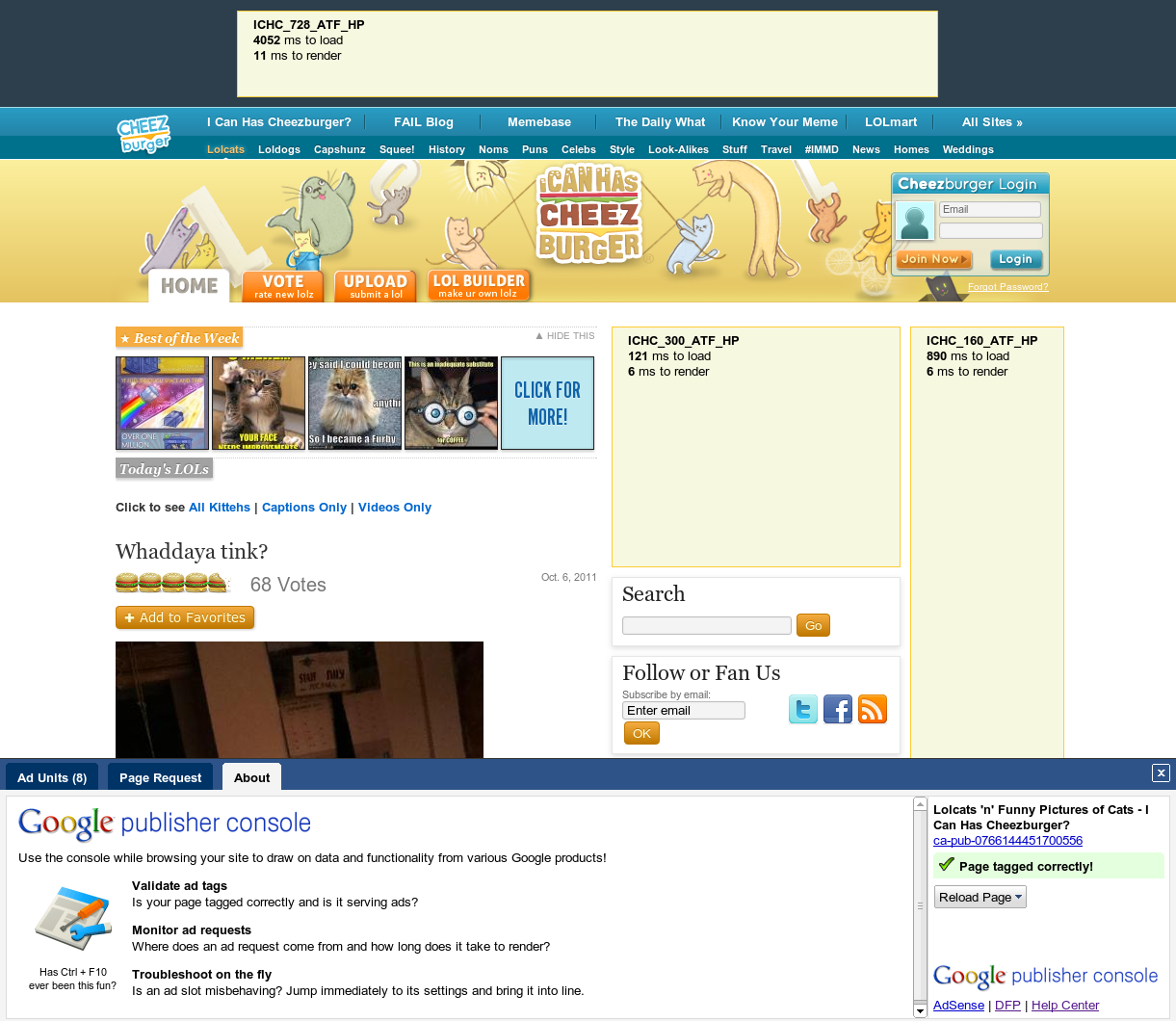
If you've found yourself navigating through your website in efforts to get your ads to show with no success, the Google Publisher Console is here to help.


The Publisher Console can be used on any webpage you manage that contains the Google Publisher Tag, and allows you to easily view the real-time decision making process DFP uses to determine which ad to serve, the time DFP took to generate each ad, and information about missing or incorrect ad tags.

To take advantage of the new functionality introduced above, you will need to re-tag your pages using the new tag. If you're already using any of our older ad tagging formats, you won't be required to re-tag any of your pages to continue using DFP.

We're committed to providing ad tags that are easy for publishers to implement, and provide the best possible experience for end users.

Posted:
We’re always adding new features to DoubleClick for Publishers (DFP). We’ll be periodically posting lists of the highlights to this blog to help you stay up-to-date with all of the latest DFP developments. The list below contains some highlights. For a more complete list, please visit the DFP or DFP Small Business Help Centers.

Available in DFP and DFP Small Business:
  • Targeting presets: If you frequently traffic your campaigns using the same set of targeting criteria, entering the same targeting criteria across multiple campaigns can become a repetitive process. To help make this process quicker and more efficient for publishers, we’ve introduced the ability to save a set of targeting criteria to reuse across your other campaigns and availability forecasts. Learn more. 
  • Sequential creative rotation: Sometimes advertisers want to display a set of creatives to the user in sequence in the same ad unit. This is called storyboarding and it allows the advertiser to control a user’s experience of an ad campaign across multiple views. Now you can "storyboard" a series of creatives by serving them sequentially to a user as they click through your site. Learn more.
  • Mobile Reporting Filters: To help make it easier to identify ad impressions delivered to your mobile web content or applications, you can now easily filter your reports to see only “web” or “mobile” line items.
Available in DFP:
  • Line item grace periods: Imagine you’re working with one of your most valued advertisers and you want to ensure their campaign delivers in full, even if this means extending the campaign beyond its original flight date. You can now indicate a line item grace period in order to allow critical line items to deliver after they’ve passed their end date in order to meet their goals. Learn more.